
NO777 Game APK Download Latest Version for Android
Now
20MB
v1.1
Android 5 and above
3737

Description
Opening NO777 Game gives Android users access to a mobile gaming platform where the main activities and account options are available from one place. Instead of navigating through complicated menus, users can explore the available gaming sections, check their profiles, and find wallet-related options through the application’s dashboard.
Game is designed for people who prefer handling their gaming activities directly from their smartphones. Whether you are opening the application for the first time or returning to an existing account, the main sections are arranged around the activities users commonly need. New members can start with NO777 Register, while existing players can use NO777 Login to access their accounts.
Another important part of the NO777 App is its account management system. Users can find relevant profile and wallet options without needing to search through unrelated sections. The application also provides access to promotional information and available gaming categories, depending on the current platform offering.
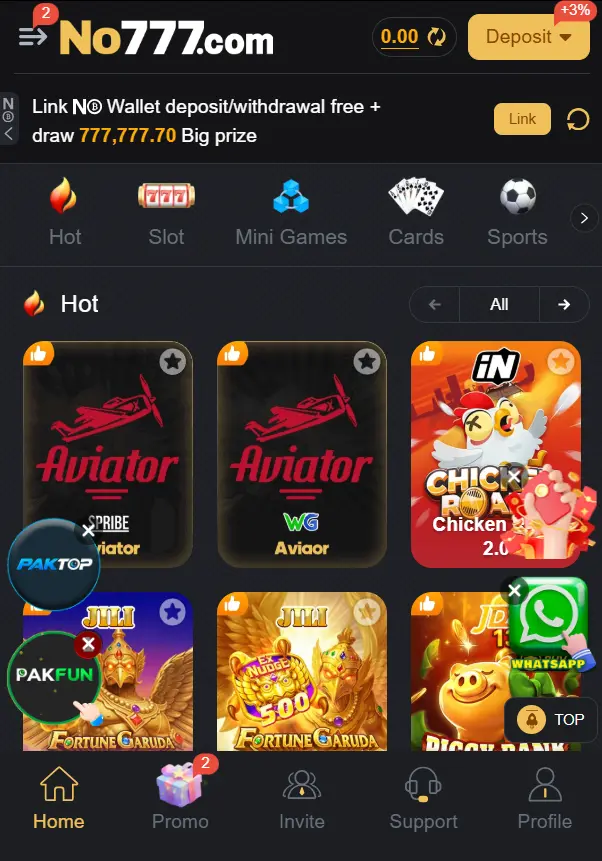
This detailed NO777 Game guide covers everything from APK installation to registration, login, deposits, withdrawals, bonuses, and common technical issues. It also explains what users should check before installing the application or using its financial features.
NO777 Game App Information
| App Details | Information |
|---|---|
| App Name | NO777 Game |
| Application Type | Online Gaming |
| Platform | Android |
| App Format | APK |
| Category | Online Games |
| Account Access | Registration and Login |
| Interface | Mobile Friendly |
| Language | Check inside the application |
| Payment Options | Check available wallet methods |
| Developer | Verify from the official source |
What Is NO777 Game?
NO777 Game is an online gaming platform built around mobile access, gaming categories, and account management. It gives Android users a single application through which they can explore the activities currently available on the platform.
The application focuses on keeping its main functions accessible. After opening NO777, users can navigate through the dashboard, explore gaming options, and access their account-related sections. This arrangement is particularly useful for people who regularly use mobile applications and prefer having their main account functions in one place.
NO777 Game APK is the installation file used to set up the application on compatible Android smartphones. After installation, users can open the app and proceed with registration or login, depending on whether they already have an account.
The platform also includes wallet-related sections for eligible users. These options allow members to review the available transaction facilities and follow the payment instructions displayed within their accounts.
Rather than focusing only on the download process, users should also understand how the application’s different sections work. Knowing where to find registration, login, wallet, and support options makes the initial experience easier to manage.
Explore more gaming options and discover other popular titles like BV999 and 1PPP Game , each offering a different style of mobile gameplay alongside NO777.
NO777 Interface and Navigation
The dashboard is the first important section users encounter when exploring NO777 Game. Its purpose is to bring the application’s main options together so users can move between available activities without repeatedly opening unrelated menus.
Main Dashboard
The NO777 Game dashboard serves as the central navigation area. Users can start from the home screen and explore the sections displayed by the application.
For someone opening the app for the first time, the dashboard provides a starting point for understanding where gaming categories and account options are located. Returning members can use the available shortcuts to access their accounts and other supported functions.
Gaming Categories
Gaming categories are an important part of the NO777 platform. Users can explore the titles displayed in the application and check the instructions associated with each available activity.
Instead of assuming every category is available to every account, users should check the current gaming lobby. The displayed selection and availability may change with platform updates.
Account Section
The account section is where registered users can access profile-related information and available account settings. It is also the place to check information connected with the registered account.
Keeping account details accurate is important, particularly when using services that require identity or payment verification.
Wallet Area
The wallet section is relevant for users who want to review available balance and transaction facilities. It provides access to supported deposit and withdrawal options where these services are available.
Before submitting a payment request, users should read the displayed instructions rather than relying on information shared by unofficial sources.
NO777 Game Features
NO777 Game brings together several features that make up its mobile platform experience. The following sections explain the main functions users can explore after opening the application.
Multiple Gaming Options
The gaming lobby allows users to explore the activities available on NO777. Different categories can be accessed through the application’s main interface, making it easier to find the options currently offered by the platform.
Users should review the rules and instructions of an individual game before participating. The available selection can change, so the application itself is the best place to check current availability.
Mobile-Friendly Layout
NO777 Game is intended for Android users who prefer accessing online gaming activities through their smartphones. Its mobile interface keeps the main navigation and account-related sections within reach.
This arrangement can be useful when switching between the gaming lobby, profile, and wallet sections. Users should still make sure their devices meet the application’s compatibility requirements.
Simple Account Registration
New users can access the NO777 Register section to create an account. The registration form requests the information required by the platform and may include mobile verification.
Entering accurate information during registration helps avoid unnecessary account recovery and verification problems later.
Quick Account Access
The NO777 Login section provides an entry point for existing members. Users can enter their registered credentials to access their accounts instead of repeating the registration process.
Keeping login details secure is particularly important when an account includes personal or transaction-related information.
Wallet Management
Wallet management gives eligible users access to the platform’s available transaction options. The relevant section can be used to review balance information and available payment facilities.
Users should check transaction limits and processing requirements before making a deposit or submitting a withdrawal request.
Promotional Offers
Promotions are another section worth checking when exploring NO777 Game. Eligible users may find information about current campaigns, referral activities, or other offers displayed by the platform.

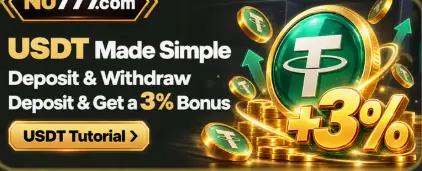
Every promotion should be reviewed individually because eligibility, expiry dates, and withdrawal conditions can differ.
Account Support
Account support is important when something does not work as expected. Users dealing with registration errors, login difficulties, or pending transactions should look for the support facility provided by the application.
Keeping relevant account and transaction information ready can make it easier to explain a problem.
How to Download NO777 Game APK on Android
Installing NO777 Game requires an Android APK file. Unlike applications installed directly through Google Play, an APK is installed manually, so users should pay attention to its source and the permissions requested by the device.
Follow these steps to install NO777 Game APK:
- Open a trustworthy source that provides the NO777 Game installation file.
- Locate the Android download option and check the file details.
- Tap the download button to save the APK on your smartphone.
- Wait until the download finishes completely.
- Open your phone’s Downloads folder.
- Find the NO777 APK file and tap it.
- If Android asks for installation permission, review the source and allow the relevant setting only when appropriate.
- Select Install and wait for Android to complete the process.
- Open NO777 Game from your application screen.
After installation, you can explore the opening screen and locate the registration or login option.
What to Check Before Installing
Do not rush through the installation process simply because an APK file is available. Check whether the download source is trustworthy and whether the application requests permissions that are necessary for its advertised functions.
If Android displays a warning, read it instead of automatically ignoring it. Avoid installing files that have been modified or distributed through unknown messaging groups.
How to Register on NO777 Game
The NO777 Register process is the starting point for new users who want to create an account. The registration section collects the details required to establish a profile and may include an additional verification step.
Steps to Create a New Account
- Launch NO777 Game after completing the installation.
- Find the Register or Sign Up button on the opening screen.
- Enter the mobile number or other requested account information.
- Create a password that is not easy to guess.
- Enter a referral code only if you have a valid code and the platform provides this field.
- Complete mobile verification if an OTP is requested.
- Review the information entered in the registration form.
- Read the applicable terms and conditions.
- Submit your details to complete the registration request.
Once the platform accepts the information, follow the confirmation displayed on the screen to access your account.
Registration Problems
Registration errors can interrupt the account creation process, particularly when information is entered incorrectly or an OTP is delayed.
Here are some points to check:
- Mobile Number: Make sure the number is entered correctly and follows the requested format.
- Existing Account: Check whether the number is already connected to an account.
- OTP Delay: Wait for the message before requesting another verification code.
- Password: Follow the password requirements displayed in the form.
- Internet Connection: Avoid submitting the same registration form repeatedly when the connection is unstable.
Never provide your OTP to another person, even if they claim they can complete registration for you.
NO777 Login: How to Access Your Account
After creating an account, users can return to NO777 Game through the login section. The NO777 Login process is intended for existing members and does not require creating another profile.
Follow these steps:
- Open the NO777 Game application.
- Select Login from the available account options.
- Enter your registered mobile number or username.
- Type the password associated with your account.
- Complete any additional verification requested.
- Submit your login information.
- Wait for the application to load your account dashboard.
Once the login process is complete, you can explore the features available to your account.
What If You Forget Your Password?
Entering an incorrect password repeatedly is unlikely to solve a login problem. If you cannot remember your credentials, look for the Forgot Password option on the NO777 login screen.
Follow the recovery instructions provided by the platform and complete any requested verification. When creating a replacement password, avoid using the same combination you use for other applications.
NO777 Game Deposit Process
The deposit section is designed for eligible users who want to add funds to their platform wallet. Before starting a transaction, check the available payment methods and make sure the selected option is supported by your account.
How to Deposit Funds
- Sign in to your NO777 Game account.
- Open the Wallet section.
- Select Deposit if the option is available.
- Review the payment methods displayed on the screen.
- Choose an available method.
- Enter the amount you intend to deposit.
- Follow the payment instructions provided by the platform.
- Review the transaction information before confirming.
- Check the wallet section for the updated transaction status.
Always verify the recipient information before transferring money. A successful payment through a banking or wallet service does not automatically mean the platform has credited the amount.
Deposit Methods
Payment options should be confirmed from the current application instead of assuming that every Pakistani payment service is supported.
| Payment Detail | What to Check |
|---|---|
| Payment Method | Options currently displayed |
| Minimum Deposit | Amount required by the platform |
| Maximum Deposit | Applicable transaction limit |
| Processing Time | Estimated processing period |
| Transaction Status | Pending, successful, or failed |
If your payment is deducted but the wallet balance does not change, keep the transaction reference and contact the available support service.
Do not send another payment to an unknown person promising an immediate balance update.
NO777 Game Withdrawal Process
Withdrawal facilities are relevant to users who have a balance eligible for withdrawal. Before submitting a request, review the conditions displayed by NO777 Game, including minimum limits, verification requirements, and any promotional restrictions.
Steps to Request a Withdrawal
- Open NO777 Game and log in.
- Navigate to the Wallet section.
- Select the Withdraw option if available.
- Check the minimum withdrawal requirement.
- Enter the amount you want to request.
- Provide the required payment information.
- Review the details carefully.
- Submit the withdrawal request.
- Save the transaction reference for future follow-up.
- Check the withdrawal status through your account.
Common Withdrawal Reasons for Delays
A withdrawal request may not be processed immediately. Several issues can affect its status:
- Incorrect account or payment details.
- Incomplete verification.
- Unfulfilled promotional requirements.
- Payment provider delays.
- Requests outside the permitted transaction limits.
- Additional account checks.
If a withdrawal remains pending, use the platform’s available support channel and provide the relevant transaction information. Avoid paying unofficial agents who promise to release funds.
NO777 Game Bonuses and Promotional Offers
The promotions section is worth checking for users interested in understanding what offers are currently available. NO777 Game may display different promotional campaigns depending on its current policies and account eligibility.
Instead of assuming that every member receives the same offer, check the promotion details shown inside the application.
Welcome Bonus
A welcome bonus may be displayed for qualifying new members. Before claiming it, review the required registration steps, activation conditions, and any restrictions attached to the promotional balance.
Daily Promotions
Daily promotions, when available, may have specific validity periods. Check the campaign details to understand whether an offer is available to your account and when it expires.
Referral Rewards
Referral promotions may provide an opportunity for eligible members to invite other users. The platform’s displayed conditions should explain what qualifies as a successful referral.
Special Event Offers
Special event promotions can appear during selected campaigns. Their availability may be limited, and some offers may require users to complete particular activities before becoming eligible.
Cashback Promotions
Cashback campaigns, if offered, can have specific calculation rules and eligibility requirements. Read the complete terms to understand how the amount is determined and whether any restrictions apply.
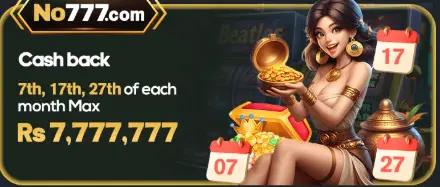
Important: Never assume that promotional money is immediately withdrawable. Wagering conditions, expiry dates, and account restrictions can affect how an offer is used.
NO777 Game APK vs Web Version
Users may prefer installing an Android application or accessing a platform through a browser. If NO777 offers both access methods, their general differences can be understood through this comparison.
| Feature | NO777 APK | Web Version |
|---|---|---|
| Access | Installed application | Mobile or desktop browser |
| Installation | Required | Not usually required |
| Updates | APK updates may be needed | Website changes are server-side |
| Storage | Uses device storage | No APK installation needed |
| Navigation | App-based interface | Browser-based interface |
| Login | Account credentials | Account credentials |
The NO777 APK version can be convenient for people who regularly access the platform through Android. A web version, if officially provided, can be useful for users who do not want another application installed on their phones.
Regardless of the access method, verify the official source before entering your login information.
Why Do Users Explore NO777 Game?
NO777 Game brings attention to three important areas: mobile access, gaming activities, and account management. Instead of treating these as separate services, the platform makes them accessible through its application interface.
For Android users, having a dedicated application can make repeated access more convenient. The dashboard provides a starting point, while the account and wallet sections help users locate functions related to their profiles and transactions.
The registration and login options also give new and existing members separate entry points. New users can create an account, whereas returning members can access their existing profiles.
Another reason to explore the application is the availability of promotional information and gaming categories. Users can check the current selection and decide which features are relevant to them.
However, convenience should not replace careful checking. Users should understand the platform’s rules, payment conditions, and financial risks before participating in any real-money activity.
Common NO777 Game Problems and Their Solutions
A smooth application experience depends on more than installation. Android compatibility, internet access, account information, and transaction processing can all affect how NO777 Game works.
NO777 Game Not Opening
If the application does not open properly, start by restarting your smartphone. Check whether the installed APK is compatible with your Android version and whether the installation finished without errors.
You can also review available storage and update the application through a verified source if an update is required.
NO777 APK Installation Failed
An installation error can occur when the downloaded file is incomplete or the phone does not have enough free storage.
Delete the damaged file, check your available storage, and obtain a fresh copy from a trustworthy source. Do not install multiple unknown versions in an attempt to fix the problem.
NO777 Login Failed
If the NO777 Login page rejects your credentials, carefully recheck your registered number or username and password.
Make sure the internet connection is working. If the details are correct but access is still unavailable, use the available password recovery or support option.
OTP Not Received
OTP delays can happen because of network congestion, incorrect mobile numbers, or SMS delivery problems.
Check your mobile signal and make sure the registered number is active. Wait before requesting another code, and avoid repeatedly submitting verification requests.
Deposit Not Updated
A successful payment and a credited platform balance are two separate transaction stages. If money has been deducted but the NO777 wallet does not show the amount, save your payment reference and check the transaction status.
Contact support through the available official channel if the issue remains unresolved.
Withdrawal Pending
Check whether your account has completed the required verification and whether the requested amount meets the displayed withdrawal conditions.
If everything appears correct but the request remains pending, provide the transaction reference when contacting support.
Application Running Slowly
When NO777 Game becomes slow, close unnecessary background applications and check your internet connection.
Restarting the device and maintaining sufficient storage can also help. Avoid downloading unofficial modified versions as a solution to performance problems.
Safety and Privacy While Using NO777
Before installing NO777 Game APK, users should pay attention to the source of the file and the information requested by the application.
A download link alone does not establish that an APK is authentic. Check the source, review the installation warnings, and avoid files distributed by unknown accounts.
Account security also deserves attention. Use a unique password and never share verification codes, wallet information, or login credentials with another person.
When using financial features, review the recipient details and transaction conditions before confirming a payment. Keep payment references for any deposit or withdrawal request that requires follow-up.
Users should also understand that real-money gaming involves financial risk. There is no guaranteed income or assured winning result. Follow applicable laws and age requirements, and never use money needed for household expenses, bills, or other essential commitments.
Advantages and Disadvantages of NO777
Advantages
- Dedicated Android application access.
- Central dashboard for available gaming sections.
- Separate registration and login options.
- Account-related settings in one place.
- Wallet facilities for eligible accounts.
- Access to current promotional information.
- Mobile-based navigation.
- Dedicated sections for different account activities.
Disadvantages
- Manual APK installation may require additional steps.
- The available gaming selection can change.
- Some transactions may require additional processing time.
- An active internet connection is necessary for online features.
- Promotional conditions may restrict withdrawals.
- Users need to verify the authenticity of the installation source.
Final Words
NO777 Game offers Android users a mobile platform where available gaming activities, account access, and wallet-related functions can be explored through one application. Its dashboard provides a starting point for new members, while existing users can return through the NO777 Login section.
The application also gives users access to registration, promotional information, and available transaction facilities. These sections make it possible to explore the platform without navigating between multiple unrelated services.
If you are planning to install NO777 Game APK, begin by checking the authenticity of the file and confirming that your Android device is compatible. Complete registration with accurate information and understand the payment conditions before using wallet features.
Most importantly, approach real-money gaming responsibly. No application can guarantee winnings or financial returns, so participate only where legally permitted and never risk money you cannot afford to lose.
Frequently Asked Questions
What Is NO777 APK?
NO777 APK is the Android installation package used to install the NO777 gaming application on a compatible smartphone. It provides access to the platform’s available gaming and account-related sections.
How Can I Download NO777 Game?
Find the application through a trustworthy source, download its Android APK file, and follow the installation instructions displayed by your smartphone.
Is NO777 Game Available for Android?
The NO777 application is intended for Android access through an APK installation process. Check device compatibility before installing the file.
How Do I Register on NO777 Game?
Open the application, select Register, enter the requested information, and complete any verification required by the platform.
How Can I Access NO777 Login?
Open NO777 Game, select Login, enter your registered credentials, and complete any additional verification displayed on the screen.
What Should I Do If I Cannot Log In?
Check your mobile number or username, password, and internet connection. If you have forgotten your password, use the recovery option provided on the login screen.
Does NO777 Game Offer Bonuses?
Promotional offers may be displayed for eligible accounts. Check the current promotions section and review the conditions before claiming an offer.
Can I Withdraw Money From NO777 Game?
Withdrawal facilities may be available to eligible users. Check the minimum withdrawal amount, verification requirements, and payment conditions inside the application.
Why Is My Deposit Pending?
A pending deposit may result from payment processing delays, incorrect transaction information, or payment provider issues. Save your transaction reference and contact the available support service.
Is NO777 Game Safe?
Safety depends on the authenticity of the APK, the application’s permissions, and the way personal and financial information is handled. Verify the source and review the relevant terms before using the platform.
Can I Use Without Downloading the APK?
If an official browser-based version is provided, users may be able to access supported features without installing the Android application. Check the official platform for availability.
Download links
How to install NO777 Game APK Download Latest Version for Android APK?
1. Tap the downloaded NO777 Game APK Download Latest Version for Android APK file.
2. Touch install.
3. Follow the steps on the screen.