
Deposits and withdrawals are an important part of using gaming and earning apps in Pakistan. Before adding money to an app or requesting a withdrawal, it is important to understand how the payment process works, which payment methods are currently available, what information you should keep, and what to do if a transaction is delayed or does not appear in your account.
This APK Gaming Deposit and Withdrawal Guide explains the most common payment processes for Pakistan-focused gaming apps, including EasyPaisa and JazzCash, along with practical solutions for failed deposits, pending withdrawals, transaction verification and payment safety.
Important: Payment methods, limits, fees, verification requirements and processing times can vary between apps and can change over time. Always check the current Deposit, Withdraw or Wallet section of the specific app before making a transaction.
What Is a Deposit?
A deposit is a payment made to add funds to your account balance on a gaming or earning platform.
The exact deposit procedure depends on the individual app. Some platforms provide an integrated payment option, while others may give users payment information for a manual transfer.
Before making a deposit, check:
- Which payment methods are currently available
- The minimum and maximum deposit amount
- The payment details displayed by the app
- Whether account verification is required
- Whether a transaction or reference ID must be submitted
- Whether there are any applicable fees or conditions
- Whether promotional funds have separate requirements
Never rely on an old payment number
Payment details can change. A number that worked previously may no longer belong to the same platform or account.
For this reason, always verify the payment details from the current app or official platform page immediately before sending money.
How to Deposit Money on a Gaming App
The exact buttons can differ between applications, but the general process usually follows this sequence.
1. Log in to your account
Open the gaming app or website and sign in to your account.
2. Open the Wallet or Deposit section
Look for an option such as:
Wallet → Deposit
or:
Account → Deposit
The wording may be different depending on the platform.
3. Select an available payment method
Choose one of the payment options currently displayed by the platform.
Depending on the app, this may include:
- EasyPaisa
- JazzCash
- Bank transfer
- Another payment method supported by the platform
Do not assume that every app supports all of these methods.
4. Enter the deposit amount
Enter the amount you want to deposit. Before confirming, check the platform’s current minimum and maximum limits.
5. Follow the payment instructions
Some platforms may redirect you to a payment page. Others may provide payment details for a manual transfer. Read the details carefully before completing the transaction.
6. Save your transaction information
Keep the payment receipt, transaction ID or reference number. This can become important if the balance does not update.
7. Check your gaming balance
After completing the payment, return to the app and check your wallet or transaction history. If the balance has not updated, do not immediately send another payment.
First confirm the status of the original transaction.
For a practical example, see our 33RS Game deposit and withdrawal guide for information specific to that platform.
EasyPaisa Deposit Guide
EasyPaisa may be available as a payment method on some Pakistan-focused gaming platforms.
Because each platform can use a different payment procedure, always follow the instructions currently displayed by the specific app.
A typical EasyPaisa deposit may involve:
- Open the gaming app.
- Log in to your account.
- Open the Deposit or Wallet section.
- Select EasyPaisa if it is currently available.
- Check the payment details displayed by the platform.
- Open EasyPaisa and complete the transfer.
- Save the transaction/reference information.
- Return to the gaming app.
- Submit the transaction details if requested.
- Check your balance or transaction history.
EasyPaisa payment safety
Before confirming an EasyPaisa transfer, carefully compare the recipient information with the details currently displayed by the platform.
Avoid using payment numbers obtained from:
- Old screenshots
- Random Facebook posts
- Unofficial WhatsApp messages
- Telegram messages
- Comments
- Third-party websites that are not the platform’s current instructions
Never share your EasyPaisa PIN or OTP with another person.
JazzCash Deposit Guide
JazzCash may also be available on some Pakistani gaming platforms.
If JazzCash is shown as an available payment option, the general process can be:
- Log in to the gaming account.
- Open the Deposit or Wallet section.
- Select JazzCash.
- Review the payment information shown by the platform.
- Open JazzCash.
- Complete the transfer using the current payment details.
- Save the transaction receipt or reference number.
- Return to the gaming platform.
- Submit the transaction information if required.
- Check your account balance.
Check the recipient before sending
Do not assume that a previously used JazzCash number is still valid.
Always verify the current payment details immediately before making the transfer.
What Is a Withdrawal?
A withdrawal is a request to transfer an available balance from a gaming or earning platform to an external payment account.
Depending on the platform, available withdrawal methods may include:
- EasyPaisa
- JazzCash
- Bank transfer
- Other methods offered by the specific app
The availability of a payment method does not necessarily mean that every account is eligible to use it. Verification, account status, minimum amounts and other conditions can apply.
Always check the current withdrawal rules before submitting a request.
How to Withdraw Money from a Gaming App
The exact withdrawal interface varies by app, but the process commonly looks like this:
Step 1: Open your account
Log in to the gaming platform.
Step 2: Open Withdraw
Look for:
Wallet → Withdraw
or another withdrawal option provided by the platform.
Step 3: Select the withdrawal method
Choose an available method such as EasyPaisa, JazzCash or bank transfer.
Step 4: Enter your payment information
Enter the requested account or wallet details carefully.
Check every digit before submitting.
Step 5: Enter the withdrawal amount
Review the current minimum and maximum withdrawal requirements.
Step 6: Complete verification if required
Some platforms may request additional account or identity verification.
Step 7: Submit the withdrawal
Review the information once more before confirming the request.
Step 8: Keep the withdrawal record
Save the withdrawal reference number or screenshot until the transaction has been completed.
If you want to see how withdrawal information is presented for a specific platform, see our 10win Game deposit and withdrawal guide.
EasyPaisa Withdrawal Guide
If an app currently supports EasyPaisa withdrawals, the platform may ask for the EasyPaisa account information required to receive the funds.
Before submitting a withdrawal:
- Check the wallet number carefully.
- Make sure the account information is correct.
- Check whether verification is required.
- Check the current withdrawal minimum.
- Read any applicable withdrawal conditions.
- Save the withdrawal reference number.
Do not assume that an EasyPaisa withdrawal will be processed instantly. Processing conditions depend on the specific platform and payment system.
JazzCash Withdrawal Guide
If JazzCash is currently supported for withdrawals, follow the instructions provided inside the platform.
Before confirming:
- Verify the JazzCash account number.
- Check the withdrawal amount.
- Review any minimum withdrawal requirement.
- Complete any required verification.
- Save the withdrawal reference or confirmation.
- Monitor the transaction status.
If the withdrawal remains pending, check its status before submitting another request.
Deposit Completed but Balance Not Showing
One of the most common payment problems is a completed payment that does not immediately appear in the gaming-app balance.
Possible reasons can include:
The transaction is still being processed
The payment provider or platform may not have completed the balance update.
Transaction information is required
Some platforms require users to submit a transaction/reference ID after making a manual payment.
Incorrect payment information
If money was sent to an incorrect account or number, the gaming platform may not be able to automatically associate the payment with your account.
Technical issue
A temporary technical problem can prevent a successful payment from appearing immediately.
Account verification
Some platforms may restrict account transactions until required verification has been completed.
What should you do?
Before sending another payment:
- Check your EasyPaisa/JazzCash transaction history.
- Confirm whether the payment was actually completed.
- Save the transaction/reference ID.
- Check the gaming platform’s transaction history.
- Review the current deposit instructions.
- Contact the platform through its official support channel if the balance remains missing.
Do not make a second payment simply because the first payment has not appeared.
Withdrawal Pending: What Does It Mean?
A pending withdrawal means the request has been submitted but has not yet reached a completed status.
Possible reasons can include:
- Account verification
- Payment information requiring review
- Platform-side processing
- Payment-provider processing
- Withdrawal requirements
- Incorrect payment details
- Technical problems
The exact reason depends on the individual platform.
What to check
Open your withdrawal history and look for:
- Current status
- Withdrawal/reference number
- Amount
- Payment method
- Any verification request
- Any message from the platform
If the platform provides an official support option, use that channel for further information.
Avoid sending additional money to anyone claiming they can “unlock” or “release” your withdrawal.
Withdrawal Rejected: What Should You Check?
A rejected withdrawal does not necessarily mean the money has disappeared.
First check the reason shown by the platform.
Common issues can include:
Incorrect payment details
The wallet or bank information may have been entered incorrectly.
Verification requirements
Your account may require additional verification.
Withdrawal conditions
The amount may not meet the platform’s current withdrawal requirements.
Promotional or bonus conditions
Some platforms attach conditions to promotional balances.
Account restrictions
The platform may have placed a temporary restriction on the account.
Technical problems
A failed request can sometimes be caused by a technical issue.
If the reason is unclear, use the platform’s official support channel rather than relying on an unofficial “agent.”
Transaction ID: Why Should You Save It?
A transaction ID, reference number or payment reference is useful evidence that a payment was initiated or completed.
Keep it until the transaction has been fully resolved.
For a deposit, useful information can include:
- Transaction ID
- Amount
- Date
- Time
- Payment method
- Payment receipt
- Screenshot of the transaction
For a withdrawal, keep:
- Withdrawal reference
- Requested amount
- Date and time
- Payment method
- Status screenshot
- Any confirmation message
Never confuse transaction proof with confidential information
A payment receipt may be useful for support.
Your:
- PIN
- Password
- OTP
- Security code
should remain private.
Deposit Failed: What Can You Check?
If a deposit fails, check the following before trying again:
- Was money actually deducted from your wallet?
- Does the transaction appear in your EasyPaisa or JazzCash history?
- Did you use the current payment details shown by the platform?
- Did you enter the correct amount?
- Does the gaming account show the transaction?
- Is your account verified?
- Does the platform display a specific error message?
If money was deducted but the gaming balance was not updated, save the transaction record and contact official support.
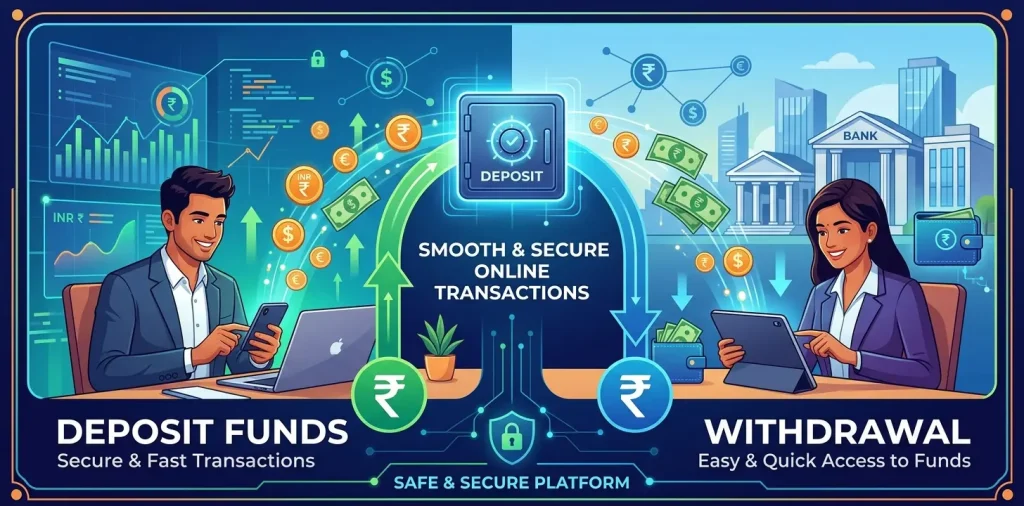
Common Deposit & Withdrawal Mistakes
Using an old payment number
Payment information can change.
Better approach: Verify the details immediately before every manual payment.
Depositing before checking withdrawal conditions
Users sometimes check withdrawal rules only after making a deposit.
Better approach: Review the current withdrawal conditions before adding money.
Sending money to the wrong account
One incorrect digit can result in a payment being sent elsewhere.
Better approach: Compare the recipient information carefully before confirming.
Losing the transaction ID
A missing reference number can make payment troubleshooting more difficult.
Better approach: Save the receipt immediately.
Sharing OTP or PIN
A legitimate support process should not require you to publicly disclose confidential authentication information.
Better approach: Keep your PIN, password and OTP private.
Trusting unofficial payment agents
Someone contacting you through WhatsApp or Telegram may not actually represent the platform.
Better approach: Use payment information and support channels provided by the platform itself.
Sending another payment when the first one is missing
This can increase the amount at risk.
Better approach: Verify the original transaction first.
Payment Safety Guide for Pakistani Gaming App Users
Before making any deposit, take a few basic precautions.
Verify the payment details
Use the information currently displayed inside the platform rather than an old screenshot.
Keep your transaction records
Save receipts and reference numbers until the transaction is resolved.
Protect your wallet credentials
Never share:
- OTP
- PIN
- Password
- Security code
with another person.
Be careful with unofficial support
Be particularly cautious when someone contacts you privately and asks you to:
- Send money to a different number
- Pay a verification fee
- Pay an unlocking fee
- Share an OTP
- Share your wallet PIN
- Send money to “release” a withdrawal
Verify the request through the platform’s official support channel first.
Do not treat gaming as guaranteed income
A gaming or earning app should not be presented as a guaranteed source of income. Real-money activities can involve financial loss.
Only use money you can afford to lose.
APK Safety and Payment Security
Payment safety is not limited to the wallet transaction itself.
If you are installing an APK outside an official app store, pay attention to:
- Where the APK came from
- Whether the developer information is clear
- App permissions
- Suspicious redirects
- Unexpected login pages
- Fake download buttons
- Requests for unnecessary personal information
- Unusual payment instructions
An APK that asks for sensitive information or redirects you to an unfamiliar payment page deserves additional scrutiny.
For more information, users can also review APK Gaming Local Laws in Pakistan resource, which explains the legal considerations surrounding online gaming, gambling-related activities and third-party platforms.
EasyPaisa vs JazzCash for Gaming Payments
There is no universal answer to which wallet is better for every gaming app.
The practical choice depends on:
- Which wallet you already use
- Whether the specific app supports it
- Current transaction requirements
- Account verification
- Applicable fees
- Available deposit and withdrawal options
The important point is not to choose a wallet based on an unsupported promise of “instant withdrawal” or “guaranteed payment.”
Check the actual options provided by the platform you intend to use.
What Information Should You Check Before Depositing?
Use this checklist before sending money:
Payment checklist
- Correct gaming account
- Current payment method
- Current recipient information
- Correct deposit amount
- Current deposit limits
- Current withdrawal rules
- Verification requirements
- Transaction/reference ID procedure
- Official support information
If any of these details are unclear, stop and verify them before completing the transaction.
What Information Should You Check Before Withdrawing?
Before requesting a withdrawal:
- Account is correctly registered
- Required verification is complete
- Correct EasyPaisa/JazzCash/bank details
- Current minimum withdrawal checked
- Current withdrawal conditions checked
- Account name/details are correct where required
- Withdrawal reference will be saved
- Official support method is available
Frequently Asked Questions
How do I deposit money into a Pakistani gaming app?
Open the app, go to its Wallet or Deposit section, select a payment method currently offered by the platform and follow its instructions. Save the transaction/reference information after completing the payment.
Can I deposit using EasyPaisa?
Some Pakistan-focused gaming apps provide EasyPaisa as a payment option. Availability varies by platform, so check the current Deposit section of the specific app.
Can I deposit using JazzCash?
Some gaming platforms support JazzCash deposits. Always verify that JazzCash is currently available inside the specific platform before making a payment.
How do I withdraw money from a gaming app?
Open the platform’s Withdraw or Wallet section, select an available payment method, enter the required details, review the current withdrawal conditions and submit the request.
Can I withdraw to EasyPaisa?
Only if the specific platform currently supports EasyPaisa withdrawals. Check its current Withdraw section before submitting a request.
Can I withdraw to JazzCash?
JazzCash withdrawals may be available on some platforms. Availability and requirements vary, so check the current information inside the app.
Why has my deposit not appeared?
Check whether the payment was completed, review your wallet transaction history, save the transaction ID and check the gaming app’s transaction history. If the payment was completed but the balance remains missing, contact official support.
Why is my withdrawal pending?
A pending withdrawal can be related to verification, payment details, platform processing, payment-provider processing or other platform-specific conditions. Check the transaction status and any messages shown by the app.
What is a transaction ID?
A transaction ID or reference number is a unique identifier associated with a payment transaction. Keeping it can help when investigating a missing deposit or another payment problem.
Should I share my OTP with gaming-app support?
No. Keep your OTP, PIN and password private. Do not provide confidential authentication information to people contacting you through unofficial channels.
What should I do if I sent money to the wrong number?
Save the transaction receipt and reference information, then contact the relevant payment provider and the platform’s official support as soon as possible. Do not send additional money to someone who claims they can recover the payment.
Are deposit and withdrawal limits the same on every app?
No. Different platforms can have different minimums, maximums, fees, verification requirements and processing conditions.
Are gaming-app withdrawals guaranteed?
No. A platform’s payment method or withdrawal option does not by itself guarantee that a transaction will be completed successfully or within a particular timeframe. Always review the platform’s current terms and transaction status.
Final Deposit & Withdrawal Checklist
Before depositing:
Check the payment details → Check the limits → Check the withdrawal conditions → Make the payment → Save the receipt → Check the transaction status.
Before withdrawing:
Check verification → Check the payment details → Check the withdrawal requirements → Submit the request → Save the reference number → Monitor the status.
If a transaction goes wrong:
Do not panic → Do not send another payment immediately → Save your transaction evidence → Check the official transaction status → Contact official support.
If you have any more questions you can connect with us through contact us page.